
Canvassingme is the recommended first stop for small-to-midsize field teams that need AI-powered dispatch, real-time GPS tracking, and continuous lead capture in one platform. Most FSM tools handle scheduling and invoicing well enough, but miss the gap that costs the most: unanswered inbound calls and slow appointment confirmation. Canvassingme closes that gap directly, with an AI dispatch assistant that routes field reps automatically and an appointment booking flow that has been shown to lift close rates by an average of 30%. For teams that need something different, this guide covers four alternative categories: budget/entry-level all-in-ones, manager-control platforms, enterprise trade stacks, and on-demand or rapid-response tools.
Table of Contents
- What are the best Housecall Pro alternatives in 2026?
- How do you choose the right Housecall Pro alternative for your business?
- Detailed reviews by category: strengths, weaknesses, and ideal fit
- Switching from Housecall Pro: a practical migration checklist
- What can you realistically expect after switching platforms?
- Which platforms make the top shortlist?
- In-depth look: pros, cons, and pricing for each alternative
- What do users say across these platforms?
- How long does it take to migrate from Housecall Pro?
- Key Takeaways
- The tradeoffs no one talks about when picking a vendor in 2026
- Canvassingme: AI dispatch and GPS for field teams ready to move fast
- Sources and further reading
What are the best Housecall Pro alternatives in 2026?
The table below organizes alternatives into practical categories rather than a flat vendor list. That framing matters because the right pick depends on your team size, trade, and the specific friction you are trying to fix.
| Category | Best for | Pricing model | Core features | Advanced features | Integrations | Ease of use | Mobile capability |
|---|---|---|---|---|---|---|---|
| Canvassingme | Door-to-door, roofing, HVAC, solar, pest control (5–200+ reps) | Per-user subscription; add-ons for AI dispatch, CRM, analytics | GPS tracking, AI dispatch, appointment booking, lead tracking, team chat | AI routing, territory mapping, performance analytics, role-based access | CRM platforms, QuickBooks, payment gateways, ad tools | High — fast setup, minimal training | Full-featured mobile app |
| Entry-level all-in-one | Solo operators and crews under 10 techs | Per-tech monthly tiers; free trials common | Scheduling, invoicing, basic dispatch, client portal | Limited routing; no AI dispatch | QuickBooks Online, Stripe | Very high — designed for non-technical users | Strong mobile apps |
| Manager/control platforms | Growing SMBs (10–50 techs) needing reporting and job costing | Per-user or per-tech tiers; demos often required | Scheduling, dispatch, estimates, job costing, time tracking | Route optimization, some GPS | QuickBooks Online/Desktop, payment gateways | Moderate — more setup time | Solid mobile apps |
| Enterprise trade platforms | Commercial contractors and multi-location businesses | Per-tech enterprise pricing; no public list price | Full FSM suite, inventory, POs, advanced reporting | AI scheduling, GPS fleet, custom workflows | ERP, QuickBooks Desktop, Salesforce | Lower — longer implementation | Capable but complex |
| On-demand/rapid-response tools | Urgent-service trades (locksmith, plumbing, HVAC emergencies) | Flat monthly or per-job fees | Fast dispatch, real-time job board, tech tracking | Live job matching, customer ETAs | Payment gateways, basic CRM | High — built for speed | Mobile-first |
| Phone-answering/AI layer | Any trade that loses leads to missed calls | Flat monthly answering fee | 24/7 call answering, lead intake, appointment booking | AI call routing, after-hours coverage | FSM platforms, CRM | Very high — plug-in service | N/A (service layer) |
Verdict by category:
- Canvassingme: Best shortlist pick for field teams that need GPS, AI dispatch, and lead capture together. AI dispatch workflows have delivered a notable productivity lift within the first month for adopting teams.
- Entry-level all-in-one: Right for solo operators or very small crews that need basic scheduling and invoicing without a long setup. Free trials are common, but solid FSM solutions are paid and tiered; freemium options lack dispatch depth.
- Manager/control platforms: Good fit for growing teams that need job costing and reporting but are not yet at enterprise scale.
- Enterprise trade platforms: Justified only when you have multiple locations, complex inventory, or commercial contract work. Expect a longer implementation.
- On-demand/rapid-response tools: Narrow fit for trades where speed of dispatch is the primary differentiator.
- Phone-answering/AI layer: Worth adding on top of any FSM when missed inbound calls are the biggest lead-loss point. The fastest responder books the job most often in local services.
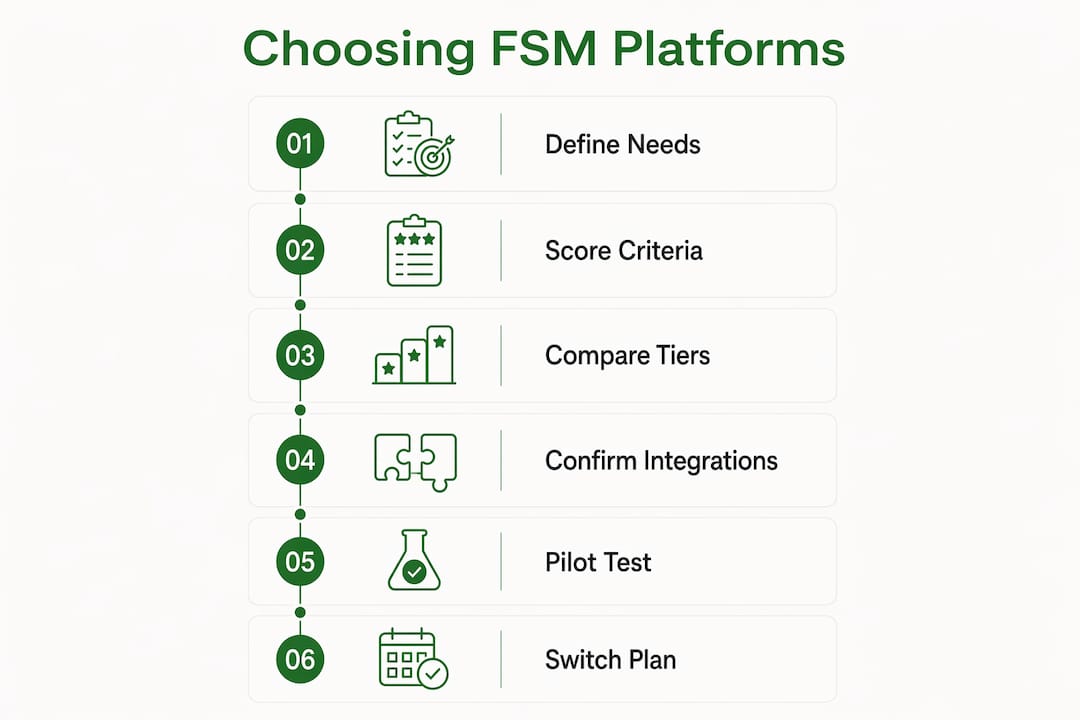
How do you choose the right Housecall Pro alternative for your business?
Matching a platform to your operation takes more than a feature checklist. The right criteria depend on your trade, your team structure, and where your current setup is losing you money.
Selection criteria to evaluate
- Trade fit: Routing density matters most for lawn care and pool service. Inventory and purchase orders are critical for commercial HVAC. Ad and lead tracking matter most for businesses running paid digital campaigns.
- Team size: Entry-level tools work well under 10 techs. Manager-control platforms suit 10–50. Enterprise stacks make sense above 50 or with multiple locations.
- Routing and dispatch needs: If you run more than 15 daily appointments per team, automated routing pays for itself quickly.
- QuickBooks version: Some platforms sync only with QuickBooks Online; others support Desktop. Confirm before committing.
- Phone and lead capture: If your team misses calls after hours, an AI answering layer is often more cost-effective than upgrading your FSM tier.
- Integrations: Confirm native connections to your payment gateway, CRM, and any ad-tracking tools you use for paid leads.
- Support and onboarding: Ask specifically about migration support, not just general customer service.
Questions to ask during demos
- Can I export all customer records, job history, invoices, and recurring schedules in a standard format?
- How are user seats priced — do office staff cost the same as field techs?
- Does the mobile app work offline, and how does it sync when connectivity returns?
- Is there an open API or webhook support for custom integrations?
- How does the platform handle ad-source tracking for paid leads?
- What is the SLA for uptime, and how are outages communicated?
- What migration support is included, and what costs extra?
Red flags to watch for
- Pricing that requires a sales call to reveal even a ballpark number.
- Basic features like GPS tracking or mobile invoicing locked behind the highest tier.
- Per-seat fees that apply equally to office admins and field reps.
- No documented migration path or data-export tool.
Simple scoring template
Rate each candidate 1–5 on your top five criteria, then multiply each score by the weight you assign that criterion. The highest weighted total is your pilot candidate.
Pro Tip: Before any demo, write down the three specific problems costing you the most money right now. Use those as your filter — if a platform does not address all three directly, it is not the right fit regardless of how good the demo looks.
Detailed reviews by category: strengths, weaknesses, and ideal fit
Canvassingme
Canvassingme is built for field teams that run door-to-door sales or home service routes, covering roofing, solar, HVAC, pest control, and real estate. The core value is the combination of real-time GPS tracking, an AI dispatch assistant, appointment booking, and CRM integrations in one platform. Pricing follows a per-user subscription model with optional add-ons for AI dispatch, advanced analytics, and CRM connectivity; custom flat-rate plans are available for large teams.

The platform manages over 10,000 appointments across its customer base, which reflects real operational scale rather than a marketing claim. Setup is designed for speed: most teams are running within days, not weeks. The ideal fit is a business with 5 to 200-plus field reps that needs GPS accountability, automated routing, and a booking flow that converts more first-contact leads.
One-line verdict: The strongest all-in-one pick for SMB field teams that need AI dispatch and GPS without a long implementation.
Entry-level all-in-one platforms
What they solve: Basic scheduling, invoicing, client communication, and payment collection for small crews. Tools in this category, including Jobber and Kickserv, are designed for non-technical users and typically offer free trials.
Pricing shape and hidden costs: Per-tech monthly tiers, usually starting under $50 per user. Watch for limits on the number of users, clients, or jobs per month at the entry tier. Upgrading to unlock GPS or reporting can push costs higher than expected.
Integrations to confirm: QuickBooks Online sync, Stripe or Square for payments, and basic email/SMS notifications. Most do not offer deep CRM or ad-tracking integrations at entry price points.
Ideal profile: A solo operator or crew of 2–8 techs that needs clean scheduling and invoicing without complex routing. G2 reviews for Jobber consistently highlight ease of use and client communication as top strengths, with limited reporting cited as the main gap.
One-line verdict: Right for small crews that need to get organized fast; outgrown quickly as teams scale.
Manager/control platforms
What they solve: Job costing, technician time tracking, detailed reporting, and more structured dispatch for growing teams. Platforms like FieldPulse, Service Fusion, and Workiz sit in this range.

Pricing shape and hidden costs: Per-user or per-tech tiers, typically $100–$200 per month for small teams. Setup fees and onboarding costs are common. Some platforms charge separately for GPS add-ons or advanced reporting.
Integrations to confirm: QuickBooks Online and Desktop compatibility, payment gateway options, and whether the platform supports ad-source tracking for paid leads. G2 reviews for Service Fusion note strong dispatch functionality but a steeper learning curve than entry-level tools.
Ideal profile: A team of 10–50 techs that has outgrown basic scheduling and needs job costing, time tracking, and better reporting. FieldPulse on G2 earns strong marks for customer support and flexibility.
One-line verdict: A solid middle tier for growing operations that need more control without enterprise complexity.
Enterprise trade platforms
What they solve: Full FSM suites with inventory management, purchase orders, multi-location support, advanced reporting, and custom workflows. ServiceTitan and BuildOps are the primary names in this category.
Pricing shape and hidden costs: Per-tech enterprise pricing with no public list price; demos are required. Implementation fees, training costs, and integration setup can add significantly to the first-year total. G2 reviews for ServiceTitan frequently mention high cost and implementation complexity alongside strong feature depth.
Integrations to confirm: ERP systems, QuickBooks Desktop, Salesforce, and custom API connections. These platforms are built for integration depth, but confirm your specific stack before signing.
Ideal profile: Commercial contractors, multi-location businesses, or residential companies with 50-plus techs and complex inventory or contract work. Not the right fit for a team that needs to be running in a week.
One-line verdict: Justified for large, complex operations; overkill for most SMBs.
On-demand and rapid-response tools
What they solve: Fast dispatch for urgent service calls, real-time job boards, and customer ETAs. Workiz has features in this space; FieldEdge and mHelpDesk serve similar rapid-dispatch needs.
Pricing shape and hidden costs: Flat monthly fees or per-job pricing. Confirm whether customer communication tools (SMS, ETA notifications) are included or billed separately.
Ideal profile: Trades where speed of response is the primary competitive advantage: locksmith, emergency plumbing, HVAC service calls. Less suited for planned-route businesses like pest control or solar.
One-line verdict: Narrow but strong fit for urgent-service trades; limited value for route-based businesses.
Phone-answering and AI layers
What they solve: The gap that most FSM platforms leave open: 24/7 inbound call answering, lead intake, and appointment booking when your team is in the field. These services sit on top of your FSM rather than replacing it.
Pricing shape: Flat monthly answering fees, typically based on call volume. Simpro and similar platforms sometimes bundle this; standalone answering services are also common.
Ideal profile: Any trade business that runs paid ads or relies on inbound calls and cannot staff a receptionist around the clock. Adding this layer to an existing FSM is often more cost-effective than upgrading to a higher FSM tier just for call handling.
Pro Tip: If your Google Ads or local SEO is generating calls but your booking rate is below 60%, an AI answering layer will likely pay for itself within 30 days. Calculate your average job value and multiply by the number of missed calls per week to size the opportunity.
Switching from Housecall Pro: a practical migration checklist
A platform switch does not have to mean a productivity crisis. The key is treating migration as a project with defined phases, not a one-day cutover.
Step-by-step migration plan
- Pre-switch discovery (Week 1): Document every workflow you rely on: scheduling rules, invoice templates, recurring jobs, technician roles, and integrations. Identify which data is critical to move and which can be archived.
- Data export and cleanup (Week 1–2): Export customers, job history, invoices, recurring schedules, technician records, and parts inventory from Housecall Pro. Clean duplicate records and standardize field formats before importing.
- Field mapping (Week 2): Map your exported fields to the new platform's data structure. Custom fields are the most common source of remapping errors.
- Test import (Week 2): Import a sample dataset (50–100 records) and verify that customer records, job history, and recurring schedules appear correctly.
- Staff training (Week 2–3): Train office staff first, then field techs. Use real jobs from the test import so training is grounded in actual data.
- Pilot period with parallel running (Week 3–4): Run both platforms simultaneously for one to two weeks. Use the new platform for new jobs while keeping Housecall Pro active for in-progress work.
- Cutover criteria: Define specific conditions before going live: all active jobs migrated, all techs trained, mobile app tested on field devices, and at least one full billing cycle processed in the new system.
- Post-launch monitoring (Week 5–8): Track lead response time, booking conversion, tech utilization, and invoice close time weekly for the first month.
Data migration reference
| Data bundle | Common mapping issues |
|---|---|
| Customer records | Duplicate contacts; mismatched phone/email fields |
| Job and work order history | Custom job types may not map directly |
| Invoices and payments | Tax codes and line-item formats often differ |
| Recurring schedules | Frequency rules may need manual recreation |
| Technician records | Role and permission structures vary by platform |
| Parts and inventory | SKU formats and category structures rarely match |
Pilot KPIs to track
- Lead response time (target: under 5 minutes for inbound calls)
- Booking conversion rate (target: above 60% of qualified inquiries)
- Tech utilization (jobs completed per tech per day)
- Invoice close time (days from job completion to payment)
Pro Tip: Export your Housecall Pro data at least two weeks before your planned cutover date. Data cleanup always takes longer than expected, and rushing it is the most common cause of a botched migration.
Hidden costs to budget for beyond the starting subscription price: setup and onboarding fees (common at manager-control and enterprise tiers), per-user charges for office staff, data migration services if the vendor offers them, and any phone-answering or AI layer you add on top. Subscription cost increases and missing advanced features are the primary reasons contractors switch in the first place, so confirm the full-year cost before signing.
What can you realistically expect after switching platforms?
Setting accurate expectations before a switch prevents the frustration that comes from comparing week-one performance to a fully optimized prior setup.
The most consistent outcome data comes from teams that adopt automated dispatch and appointment confirmation together. Canvassingme's internal data shows AI dispatch workflows can produce roughly a 40% improvement in field rep productivity within the first month for teams that commit to the new routing process. Close rates improve by an average of 30% when appointment confirmation and a structured booking flow replace manual follow-up. Those numbers reflect adoption, not just installation: teams that run the pilot plan described above see results faster than those that flip a switch and hope.
A predictable 2–4 week productivity dip is normal during any platform migration. Staff are relearning workflows, data is still being verified, and field techs are adjusting to a new mobile interface. Planning a structured pilot shortens that dip significantly.
Feature-to-outcome mapping:
- AI dispatch and automated routing → faster job assignment, higher tech utilization, fewer scheduling conflicts
- Live appointment confirmation → higher show rates, fewer no-shows, better close rates
- Real-time GPS tracking → faster response to schedule changes, better customer ETAs
- Integrated lead tracking → clearer picture of which ad sources generate booked jobs, not just clicks
The businesses that see the fastest ROI are those that map their current pain points to specific features before switching, rather than looking for a direct clone of their old platform. Cleaning CRM data before import also speeds adoption by removing the confusion that comes from duplicate or incomplete records.
Which platforms make the top shortlist?
The field service software market includes 10–15 credible alternatives to Housecall Pro, grouped by business size and feature emphasis. Here is the shortlist that covers the most common use cases for SMB service businesses in 2026.
Canvassingme is the leading pick for field teams that need AI dispatch, GPS, and lead capture together. It is purpose-built for door-to-door and home service operations.
Jobber is the most widely used entry-level option for small residential service businesses. It covers scheduling, invoicing, and client communication cleanly, with a short learning curve.
ServiceTitan is the enterprise standard for larger residential and commercial contractors. Feature depth is unmatched, but cost and implementation time are significant.
Workiz covers scheduling, dispatch, and invoicing with a focus on speed, making it a practical choice for urgent-service trades. G2 reviews for Workiz highlight its ease of setup.
FieldEdge targets HVAC and plumbing contractors specifically, with strong flat-rate pricing tools and QuickBooks Desktop integration.
FieldPulse is a flexible mid-market option with strong customer support ratings and a feature set that scales from small crews to larger teams.
Service Fusion offers broad dispatch and scheduling features at a competitive price point, with a flat monthly fee rather than per-tech pricing.
mHelpDesk covers the basics for small service businesses: scheduling, estimates, and invoicing, with a straightforward interface.
Kickserv is a budget-friendly option for very small teams, with a free plan for up to two users and paid tiers that add more functionality.
Simpro targets commercial trade contractors with project management, inventory, and multi-site capabilities.
BuildOps is built for commercial HVAC, plumbing, and electrical contractors that need project management alongside FSM features.
In-depth look: pros, cons, and pricing for each alternative
Jobber
Pros: Clean interface, strong client communication tools, reliable QuickBooks Online sync, free trial available. Cons: Limited reporting at entry tiers, no AI dispatch, GPS tracking requires an add-on. Ideal business: Residential service crews of 1–10 techs. Pricing: Tiered per-user monthly plans; public pricing available on the Jobber website.
ServiceTitan
Pros: The deepest feature set in the market, strong reporting, and a large integration ecosystem. Cons: High cost, long implementation, requires dedicated admin staff to manage. Ideal business: Multi-location contractors with 50-plus techs. Pricing: Per-tech enterprise pricing; demo required.
Workiz
Pros: Fast setup, solid dispatch tools, good for urgent-service trades. Cons: Reporting is lighter than mid-market competitors; inventory management is basic. Ideal business: Small to mid-size urgent-service businesses. Pricing: Per-user monthly tiers; free trial available.
FieldEdge
Pros: Strong flat-rate pricing tools, reliable QuickBooks Desktop integration, HVAC-specific features. Cons: Interface feels dated compared to newer platforms; limited mobile app flexibility. Ideal business: HVAC and plumbing contractors using QuickBooks Desktop. Pricing: Per-tech monthly pricing; demo required for exact figures.
FieldPulse
Pros: Flexible feature set, strong customer support, good value for growing teams. Cons: Some advanced features require higher tiers; reporting could be deeper. Ideal business: Teams of 5–30 techs across multiple trades. Pricing: Per-user monthly tiers; free trial available.
Service Fusion
Pros: Flat monthly pricing (not per-tech) is a genuine cost advantage for larger teams; broad dispatch features. Cons: Interface is not as polished as newer tools; mobile app has mixed reviews. Ideal business: Mid-size service businesses that want predictable monthly costs. Pricing: Flat monthly tiers; public pricing available.
mHelpDesk
Pros: Simple interface, covers scheduling and invoicing basics, integrates with QuickBooks. Cons: Limited advanced features; not suited for teams that need GPS or AI dispatch. Ideal business: Very small service businesses that need basic job management. Pricing: Per-user monthly tiers; demo required.
Kickserv
Pros: Free plan for up to two users; affordable paid tiers; easy to learn. Cons: Feature set is thin at entry level; not suited for teams above 10 techs. Ideal business: Solo operators or very small crews on a tight budget. G2 reviews for Kickserv confirm ease of use as the primary strength.
Simpro
Pros: Strong project management and inventory for commercial contractors; multi-site capable. Cons: Complex setup; not suited for residential or small teams. Ideal business: Commercial trade contractors with project-based work. Pricing: Enterprise pricing; demo required.
BuildOps
Pros: Purpose-built for commercial HVAC, plumbing, and electrical; strong project and inventory management. Cons: High cost; not designed for residential or small-team use. Ideal business: Commercial contractors with complex project workflows. Pricing: Enterprise pricing; demo required.
What do users say across these platforms?
Across G2 reviews and editorial comparisons, a few consistent patterns emerge regardless of which platform is being reviewed.
Common praise across platforms: Ease of scheduling relative to spreadsheets or paper, faster invoicing, and improved client communication. Teams consistently report that any structured FSM tool reduces the time spent on administrative back-and-forth.
Common complaints across platforms: Pricing that increases faster than expected as teams grow, customer support that slows down after the initial onboarding period, and mobile apps that work well on newer devices but struggle on older hardware. Trade-specific fit is the most frequently cited reason for switching again after an initial migration.
The pattern that matters most: Users who defined their top three pain points before choosing a platform report higher satisfaction than those who picked based on brand recognition or a friend's recommendation. The platforms that score highest on G2 in their respective categories are not necessarily the ones with the most features; they are the ones that solve the right problems for their specific user base.
How long does it take to migrate from Housecall Pro?
A realistic migration timeline for most SMB service businesses runs 4–6 weeks from decision to full cutover. Here is how that typically breaks down:
Weeks 1–2: Data export, cleanup, and field mapping. This phase takes longer than most teams expect, especially if customer records have duplicates or custom fields that do not map cleanly to the new platform.
Weeks 2–3: Test import, staff training, and mobile app setup on field devices. Training office staff before field techs reduces confusion during the pilot.
Weeks 3–4: Parallel running. Both platforms are active; new jobs go into the new system while in-progress work finishes in Housecall Pro.
Weeks 4–6: Full cutover and post-launch monitoring. Track the KPIs outlined in the migration checklist above and address any data gaps before closing out the old account.
The 2–4 week productivity dip is predictable and manageable with a structured pilot. Teams that skip the parallel-running phase and cut over all at once consistently report longer recovery times. Budget the time, and the switch is straightforward.
Key Takeaways
The strongest Housecall Pro alternatives for SMB field teams in 2026 are those that match your trade's specific needs, not the ones with the longest feature list.
| Point | Details |
|---|---|
| Match platform to trade | Routing density, inventory, and ad tracking needs vary by trade; confirm fit before committing. |
| Budget for the full cost | Setup fees, per-user charges, and add-ons routinely exceed the starting subscription price. |
| Plan a 4–6 week migration | A structured pilot with parallel running reduces the predictable 2–4 week productivity dip. |
| Prioritize lead capture | Missed inbound calls are the largest lead-loss point; confirm how each platform handles after-hours booking. |
| Canvassingme for AI dispatch | Canvassingme delivers AI dispatch, real-time GPS, and appointment booking in one platform, with a reported roughly 40% productivity improvement and about 30% close-rate improvement for adopting teams. |
The tradeoffs no one talks about when picking a vendor in 2026
The conventional wisdom in FSM software comparisons is to build a feature matrix, score each platform, and pick the winner. That process is not wrong, but it misses the variable that determines whether a switch actually pays off: time to value.
A platform with 200 features that takes four months to implement will underperform a simpler tool that your team is using confidently in three weeks. The businesses that get the fastest return from a switch are not the ones that picked the most capable platform. They are the ones that picked the platform that solved their top three problems without requiring a consultant to configure it.
The second tradeoff that gets underestimated is the answering layer. Most FSM platforms, including the enterprise ones, do not solve the missed-call problem. If your business runs paid ads or depends on inbound calls, the gap between a call answered in 30 seconds and one that goes to voicemail is often the difference between a booked job and a lost lead. Adding an AI answering layer on top of a mid-tier FSM is frequently more cost-effective than upgrading to an enterprise platform just to get better reporting.
The practical rule: if your team is under 30 techs and your biggest pain points are dispatch efficiency and lead capture, start with a platform that handles both natively before considering an enterprise stack. Upgrade when the complexity of your operation genuinely requires it, not because a sales demo made the enterprise version look impressive.
Canvassingme: AI dispatch and GPS for field teams ready to move fast
Field teams that need AI dispatch, real-time GPS, and continuous lead capture without a months-long implementation have a direct path with Canvassingme. The platform is built specifically for door-to-door sales and home service operations: roofing, solar, HVAC, pest control, and real estate. Where most FSM tools stop at scheduling and invoicing, Canvassingme adds an AI dispatch assistant that routes reps automatically, a booking flow that improves close rates by an average of 30%, and GPS tracking that gives managers real-time visibility across the full team.
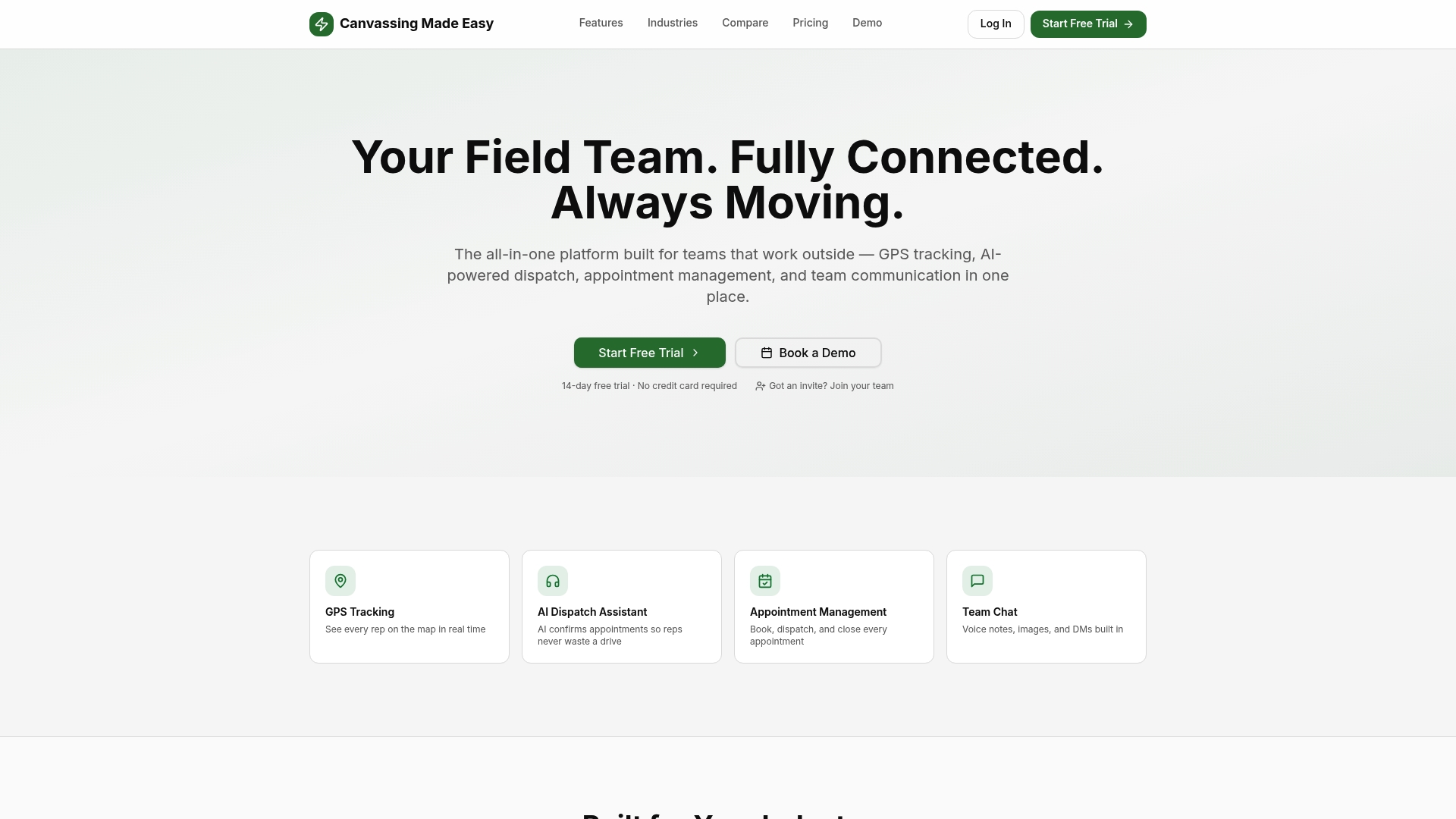
Teams on the platform manage over 10,000 appointments, and adopting teams report roughly a 40% productivity improvement within the first month. Pricing follows a per-user subscription model with optional add-ons; custom flat-rate plans are available for larger teams. If you want to see how the platform fits your operation before committing, schedule a demo or review the sales team features to confirm the seat model works for your office and field structure.
Sources and further reading
Recommendations in this guide are based on a category-first evaluation framework: platforms were grouped by trade fit, team size, and the specific operational problems they solve, rather than ranked by feature count alone. Internal Canvassingme data on productivity and close-rate outcomes is sourced from platform performance summaries. Editorial sources were selected for their trade-specific analysis and coverage of real user feedback.
- 7 Best Housecall Pro Alternatives (2026) — Fieldservicetools.com
- Housecall Pro Alternative: 6 Best Options for 2026 — Dapta.ai
- Best 15 Housecall Pro Alternatives in 2026 — Software Advice
- Jobber reviews — G2
- ServiceTitan reviews — G2
- Service Fusion reviews — G2
- FieldPulse reviews — G2
- Kickserv reviews — G2
- Workiz reviews — G2
- Ways websites generate local leads in 2026 — YDJ Media
- AI Dispatch Assistant — Canvassingme
- Appointments — Canvassingme
- Schedule Appointment — Canvassingme