
For most field sales teams, Canvassing Made Easy is the strongest choice among door-to-door apps. It combines AI-powered dispatch, real-time GPS tracking, and appointment management in a single platform built specifically for door-to-door and home-service sales. The platform runs on iOS, Android, and web, and teams can be up and running quickly. Canvassingme reports a 40% improvement in rep productivity within the first month and an average 30% increase in close rates.
For teams with different priorities, three alternative categories cover the remaining use cases. Route-optimization specialists suit teams that need aggressive turn-by-turn routing above everything else. Lightweight lead-capture apps work well for small pilots or low-budget deployments that need minimal onboarding. Enterprise field platforms fit large organizations that require custom workflows, role-based access, and dedicated implementation support. All four categories include iOS and Android support; most offer a free trial or demo.

Table of Contents
- How do the best door to door apps compare at a glance?
- How to choose the right canvassing app for your team
- What do the leading canvassing apps actually offer?
- Why Canvassingme stands out: outcomes and implementation notes
- What users say about canvassing apps
- How canvassing apps handle security and data privacy
- How to evaluate customer support quality before you buy
- Update frequency and vendor credibility
- Customization and scalability for different team sizes
- Key Takeaways
- The real trade-offs ops managers face when choosing software
- Canvassingme is built for teams that need results fast
- Useful sources and vendor pages to verify features and pricing
How do the best door to door apps compare at a glance?
| App / Category | Best for | Key features | Platforms | Integrations | Pricing / trial | Ease of use | Analytics & reporting | AI / dispatch |
|---|---|---|---|---|---|---|---|---|
| Canvassing Made Easy | AI dispatch + appointment mgmt | GPS tracking, AI dispatch, territory mapping, offline mode, lead capture, CRM sync | iOS, Android, Web | CRM, calendar, Zapier | Subscription; free demo | Fast onboarding | Rep performance, close-rate dashboards | AI dispatch assistant |
| SalesRabbit | Outside sales teams | Lead tracking, area management, digital contracts | iOS, Android, Web | Salesforce, HubSpot, Zapier | Tiered plans; free trial | Moderate | Sales activity reports | Limited |
| SPOTIO | High-volume canvassing | Territory management, lead capture, route optimization | iOS, Android, Web | Salesforce, HubSpot | Tiered plans; demo available | Moderate | Pipeline and activity reports | Limited |
| Badger Maps | Field reps with existing CRM | Route optimization, check-ins, account mapping | iOS, Android, Web | Salesforce, HubSpot, Zoho | Tiered plans; free trial | Easy | Route and visit reports | Limited |
| Map My Customers | SMB outside sales | Customer mapping, route planning, follow-up reminders | iOS, Android, Web | HubSpot, Salesforce, Zapier | Tiered plans; free trial | Easy | Activity and pipeline reports | Limited |
| Ecanvasser | Political and nonprofit canvassing | Walk lists, turf cutting, canvasser tracking | iOS, Android, Web | Zapier, NationBuilder | Tiered plans; free trial | Easy | Canvass completion reports | Limited |
| Beest | Door-to-door sales teams | Digital sales presentations, lead capture, GPS | iOS, Android | CRM integrations | Tiered plans; demo available | Moderate | Sales performance reports | Limited |
| Canvass | Home services canvassing | Territory assignment, lead tracking, offline mode | iOS, Android | CRM, Zapier | Tiered plans; demo available | Easy | Territory and lead reports | Limited |
| Knockbase | Residential canvassing | Door tracking, lead notes, territory management | iOS, Android | CRM integrations | Tiered plans; free trial | Easy | Knock and lead reports | Limited |
| Knockio | Door-to-door lead capture | Knock tracking, lead forms, route planning | iOS, Android | CRM, Zapier | Tiered plans; free trial | Easy | Lead capture reports | Limited |
| ConveYour | Sales rep training + canvassing | Micro-learning, lead capture, rep coaching | iOS, Android, Web | CRM, Zapier | Tiered plans; demo available | Moderate | Training and activity reports | Limited |
| Lead Scout | Neighborhood prospecting | Address lookup, lead lists, territory mapping | iOS, Android | CRM integrations | Tiered plans; free trial | Easy | Prospecting reports | Limited |
| Outfield | Outside sales gamification | Gamified activity tracking, route planning, CRM | iOS, Android, Web | Salesforce, HubSpot, Zapier | Tiered plans; free trial | Easy | Gamified performance reports | Limited |
| PAIV | AI-powered canvassing | AI lead scoring, door tracking, territory mgmt | iOS, Android | CRM integrations | Tiered plans; demo available | Moderate | AI-scored lead reports | AI lead scoring |
| Repsly | CPG and retail field teams | Retail execution, visit scheduling, photo capture | iOS, Android, Web | Salesforce, HubSpot, Zapier | Tiered plans; demo available | Moderate | Retail execution reports | Limited |
| Terros | Home services field ops | Appointment booking, GPS, territory management | iOS, Android | CRM integrations | Tiered plans; demo available | Moderate | Field ops reports | Limited |
| Timeero | GPS time tracking for field teams | GPS tracking, mileage logging, time clock | iOS, Android, Web | QuickBooks, Gusto, Zapier | Tiered plans; free trial | Easy | Time and mileage reports | Limited |
| Route-optimization specialist (category) | High-density routing efficiency | Turn-by-turn routing, stop sequencing | iOS, Android | Varies by vendor | Varies | Easy to moderate | Route efficiency reports | Limited |
| Lightweight lead-capture apps (category) | Small teams / pilots | Quick lead forms, photo capture, basic sync | iOS, Android | Limited | Low cost; free tiers common | Very easy | Basic reports | None |
| Enterprise field platforms (category) | Large orgs, complex workflows | Custom workflows, role-based access, deep integrations | iOS, Android, Web | Extensive | Custom pricing | Longer onboarding | Advanced dashboards | Varies |

Pricing note: Most canvassing apps use per-user monthly subscriptions. Pricing is rarely published at a flat rate; expect tiered plans where advanced features like AI dispatch, CRM integration, and analytics sit in higher tiers or as paid add-ons. Always request a written quote for teams larger than ten reps.
Pro Tip: Visible trial or demo messaging significantly increases confidence before signup. Ask every vendor for a scripted pilot that measures appointment-to-close uplift, not just activity volume.
How to choose the right canvassing app for your team
The single most important criterion is alignment between the app's core workflow and how your reps actually work in the field. A platform with excellent back-office dashboards but a clunky mobile interface will hurt adoption faster than any missing feature.
Technical and operational criteria to evaluate:
- Offline mode: Reps in low-signal neighborhoods need to capture leads and update statuses without a live connection. Confirm offline sync behavior before committing.
- Route optimization: Does the app sequence stops intelligently, or does it just display pins on a map? The difference is significant for high-density canvassing.
- CRM and calendar integration: Native connectors to Salesforce, HubSpot, or your existing CRM reduce manual data entry. Zapier-based connections work but add latency.
- Field UX: Test the app on the actual device your reps carry. A five-tap workflow to log a knock is too many.
- Security and data privacy: Confirm role-based access control, data encryption at rest and in transit, and whether the vendor stores prospect data on US-based servers.
- Pricing model: Per-user monthly fees scale predictably. Watch for add-on fees for AI features, advanced analytics, or CRM sync that inflate the real cost.
Questions to ask on every vendor demo:
- What is the trial length, and does it include all features or a limited subset?
- Who owns the data if we cancel, and how is it exported?
- What is the typical onboarding timeline for a team of our size?
- What is your SLA for support response during business hours?
- Can we customize territory boundaries, lead statuses, and form fields without developer help?
Red flags to watch for: opaque or quote-only pricing with no published tiers, no trial or demo option, a mobile app with poor reviews on the App Store or Google Play, and missing native integrations for your existing CRM. Choosing an app by the feature set that matches your use case is the most reliable shortlisting method, not by brand recognition alone.
What do the leading canvassing apps actually offer?
Canvassing Made Easy
Canvassingme is built from the ground up for door-to-door and home-service sales teams in roofing, solar, HVAC, pest control, and real estate. The platform's AI dispatch assistant handles appointment confirmation and rep routing automatically, reducing the manual coordination that typically falls on ops managers. Real-time GPS tracking shows every rep's location and status without requiring reps to check in manually.
Key features include territory mapping with neighborhood-level visualization, appointment booking and management that can handle over 10,000 appointments, property lookup for address enrichment, lead tracking, and built-in team chat with media support. CRM integration and role-based access control are included in the platform. Canvassingme runs on iOS, Android, and web.
Pros: Fast onboarding, AI dispatch reduces coordinator workload, strong appointment management, purpose-built for door-to-door verticals. Cons: Pricing is subscription-based with add-ons for advanced features; teams with highly custom CRM workflows may need an integration review before launch. Best for: Field sales teams in home services that need AI-driven dispatch, appointment management, and real-time rep visibility in one platform.
SalesRabbit
SalesRabbit targets outside sales teams with a focus on lead area management and digital contract workflows. It integrates with Salesforce and HubSpot natively and offers a tiered pricing structure with a free trial. The mobile app is well-reviewed on both iOS and Android. Its strength is in managing large lead databases with area assignments, though AI dispatch is not a core feature.
Pros: Mature platform, strong CRM integrations, digital contracts built in. Cons: Less focused on appointment automation; AI features are limited compared to purpose-built dispatch tools. Best for: Outside sales teams that already use Salesforce or HubSpot and need structured area management.
SPOTIO
SPOTIO is a high-volume canvassing platform with territory management, lead capture, and route optimization. It connects to Salesforce and HubSpot and offers a demo before purchase. Reporting covers pipeline and activity metrics. Teams that run large canvassing campaigns across multiple territories find its territory management tools practical.
Pros: Strong territory management, solid CRM integrations, good pipeline reporting. Cons: Onboarding takes moderate effort; AI dispatch is not available. Best for: Sales organizations running structured multi-territory canvassing campaigns.
Badger Maps
Badger Maps centers on route optimization for field reps who already have a CRM. It connects to Salesforce, HubSpot, and Zoho, and its core value is reducing drive time between stops. The platform is easy to learn. It does not replace a CRM or offer appointment automation, so it works best as a routing layer on top of an existing stack.
Pros: Excellent route optimization, easy to use, broad CRM compatibility. Cons: Not a standalone canvassing platform; limited lead management and no AI dispatch. Best for: Field reps who need smarter routing and already have a CRM in place.
Map My Customers, Ecanvasser, Beest, Canvass, Knockbase, and Knockio
These six platforms cover a range of use cases from SMB outside sales (Map My Customers) to political and nonprofit canvassing (Ecanvasser) to residential door-to-door lead capture (Knockbase, Knockio). Map My Customers and Ecanvasser both offer free trials and connect to Zapier. Beest and Canvass focus on home-services canvassing with offline mode support. Knockbase and Knockio are lightweight knock-tracking tools suited to small teams or pilots that need low-cost, minimal-setup solutions.
Best for: Teams with a specific vertical focus (political, nonprofit, SMB sales) or small pilots that do not yet need a full field operations platform.
ConveYour, Lead Scout, Outfield, PAIV, Repsly, Terros, and Timeero
ConveYour adds micro-learning and rep coaching to canvassing workflows, making it useful for teams with high rep turnover. Lead Scout focuses on neighborhood prospecting and address lookup. Outfield gamifies activity tracking, which can drive short-term rep engagement. PAIV brings AI lead scoring to door-to-door canvassing, a differentiator for teams that want to prioritize which doors to knock. Repsly is purpose-built for CPG and retail field execution rather than residential canvassing. Terros covers home-services field ops with appointment booking and GPS. Timeero is primarily a GPS time-tracking and mileage-logging tool, not a full canvassing platform.
Pro Tip: Platforms like Uber Eats and Grubhub combine multiple delivery verticals in one app. The same logic applies to field platforms: a tool that handles lead capture, routing, and appointment booking in one place reduces the integration overhead that slows down ops teams.
Why Canvassingme stands out: outcomes and implementation notes
Canvassingme's reported outcomes are specific. Teams using the platform report a 40% improvement in rep productivity within the first month and an average 30% increase in close rates. The platform manages over 10,000 appointments, which puts its appointment infrastructure in a different category from lightweight lead-capture tools.
The AI dispatch assistant is the feature that most directly reduces ops manager workload. It handles appointment confirmation and rep routing automatically, which means coordinators spend less time on manual scheduling and more time on territory strategy. Real-time GPS tracking gives managers accurate rep location data without requiring reps to manually check in, a friction point that undermines adoption on many competing platforms.
Implementation is designed to be fast. Canvassingme supports role-based access control, so admins can configure rep, manager, and owner permissions without developer involvement. CRM integration is available as a platform feature, not an add-on requiring a third-party connector. For teams migrating from spreadsheets or a legacy tool, the onboarding timeline is short relative to enterprise field platforms.
Demo questions worth asking Canvassingme:
- Show AI dispatch routing a live appointment confirmation.
- Test offline lead capture on iOS and Android, then confirm sync behavior when connectivity returns.
- Export a sample performance report and confirm the fields map to your existing KPIs.
- Confirm CRM sync behavior with your specific CRM instance.
Business-facing analytics and growth tools are a core expectation for field platforms, not a premium add-on. Canvassingme's performance dashboards cover rep activity, appointment volume, and close-rate trends in one view.
What users say about canvassing apps
User feedback across canvassing platforms follows a consistent pattern. Reps prioritize mobile UX above everything else. An app that requires more than two taps to log a knock or update a lead status gets abandoned in the field, regardless of how powerful the back-office dashboard is. Ops managers, by contrast, prioritize reporting accuracy and CRM sync reliability.
Canvassingme users highlight the speed of onboarding and the reduction in coordinator workload from AI dispatch as the two most frequently cited benefits. SalesRabbit users consistently mention the strength of its CRM integrations. Badger Maps users value route optimization but note the need for a separate lead management tool. Ecanvasser draws positive feedback from political and nonprofit teams for its walk-list and turf-cutting features.
Across the category, the most common complaints involve mobile app stability on older Android devices, slow support response times, and pricing that increases significantly when adding CRM sync or advanced analytics. Checking recent App Store and Google Play reviews for the specific OS version your team uses is worth doing before signing a contract.
How canvassing apps handle security and data privacy
Data security is a practical concern for field sales teams, not just a compliance checkbox. Canvassing apps collect prospect addresses, contact details, and GPS location data for every rep. That data needs to be protected at rest and in transit.
The baseline expectation for any platform in this category is TLS encryption for data in transit and AES-256 encryption at rest. Role-based access control is critical: reps should see only their assigned territories and leads, not the full database. Confirm whether the vendor stores data on US-based servers, particularly if your team operates in states with data privacy regulations.
Ask vendors directly about their data retention policy and what happens to prospect data after contract termination. Some platforms retain data for a period after cancellation; others delete it immediately. Data export in a standard format (CSV, JSON) before cancellation is a non-negotiable requirement.
How to evaluate customer support quality before you buy
Support quality is one of the most underevaluated factors in canvassing app selection. A platform that goes down during a high-volume canvassing day and takes four hours to respond to a support ticket is a real operational risk.
Ask every vendor for their SLA for support response during business hours. The difference between a two-hour and a 24-hour response SLA is significant when reps are in the field. Check whether support is available via live chat, phone, or email only. Review recent support-related comments on G2, Capterra, or the App Store to identify patterns in response time and resolution quality.
Onboarding support matters as much as ongoing support. Confirm whether the vendor provides a dedicated onboarding contact, documentation, and video training, or whether setup is self-serve only. For teams larger than 20 reps, a dedicated onboarding contact reduces the time to full deployment.
Update frequency and vendor credibility
A canvassing app that has not shipped a meaningful update in six months is a credibility signal worth taking seriously. The field sales software category moves quickly, and vendors that are not actively developing their product fall behind on mobile OS compatibility, security patches, and feature parity.
Check the App Store and Google Play update history for the apps you are evaluating. Look for update frequency (monthly or more is a good sign), release notes that describe real feature additions rather than just "bug fixes," and whether the vendor publishes a public roadmap. Independent review sites that test apps on reliability consistently flag update cadence as a proxy for vendor health.
Vendor credibility also shows up in integration depth. A platform that maintains native connectors to Salesforce, HubSpot, and Zapier is investing in its ecosystem. A platform that relies entirely on Zapier for all integrations may be signaling limited engineering capacity.
Customization and scalability for different team sizes
A five-rep pilot and a 200-rep national team have fundamentally different requirements from a canvassing platform. Lightweight tools like Knockbase or Lead Scout are appropriate for small teams that need quick deployment and low cost. They do not scale well to large organizations that need custom territory hierarchies, multi-level role permissions, and advanced reporting.
Enterprise field platforms offer the deepest customization but require longer onboarding and higher per-user costs. The trade-off is real: more configurability means more setup time and more internal resources needed to maintain the configuration.
Canvassingme sits between these extremes. It supports role-based access control, territory mapping, and CRM integration without requiring custom development, which makes it practical for teams ranging from 10 to several hundred reps. The platform's flat-rate custom plans for large teams give ops managers a predictable cost structure as headcount grows.
Pro Tip: Start any pilot in a single high-value territory with two to three reps. Measure appointment-to-close uplift over 14 days before expanding. A narrow pilot produces cleaner data than a broad rollout.
Key Takeaways
For most field sales teams evaluating door-to-door apps, Canvassingme's combination of AI dispatch, real-time GPS, and appointment management delivers the fastest path to measurable productivity gains.
| Point | Details |
|---|---|
| Lead with AI dispatch | Canvassingme's AI dispatch reduces coordinator workload and is the feature most directly tied to rep productivity gains. |
| Verify offline mode first | Confirm offline lead capture and sync behavior before committing; this is the most common field failure point across all platforms. |
| Match app to team size | Lightweight tools suit small pilots; Canvassingme scales from 10 to hundreds of reps with role-based access and custom flat-rate plans. |
| Check data ownership | Ask every vendor how data is exported and what happens to prospect records after cancellation before signing. |
| Canvassingme reported outcomes | Teams report a 40% improvement in rep productivity within the first month and an average 30% increase in close rates. |
The real trade-offs ops managers face when choosing software
The conventional wisdom in this category is to pick the app with the most features. That is usually the wrong call. More features mean longer onboarding, more configuration work, and more surface area for reps to get confused. The better question is: which platform removes the most friction from the specific workflow that is costing you appointments right now?
For most door-to-door teams, that friction lives in three places: routing inefficiency, manual appointment confirmation, and lead data that never makes it back to the CRM. A platform that solves all three without requiring a two-week implementation is worth more than a feature-rich enterprise suite that takes a month to configure.
The mobile UX versus back-office dashboard trade-off is real. Platforms built for ops managers often have excellent dashboards and mediocre mobile apps. Platforms built for reps often have clean mobile UX and limited reporting. The best platforms, Canvassingme among them, invest in both. But if you have to choose, prioritize the rep-facing experience. A dashboard no one uses because the app was abandoned in the field produces no data worth reporting.
Run your pilot in a single high-value territory. Measure appointment-to-close uplift, not just knock volume. Knock volume is easy to inflate; close-rate improvement is the number that justifies the subscription cost to leadership.
Canvassingme is built for teams that need results fast
Field sales teams that have spent time juggling separate routing apps, spreadsheets, and manual appointment confirmations know the real cost: missed follow-ups, reps driving inefficient routes, and close-rate data that is always a week behind.
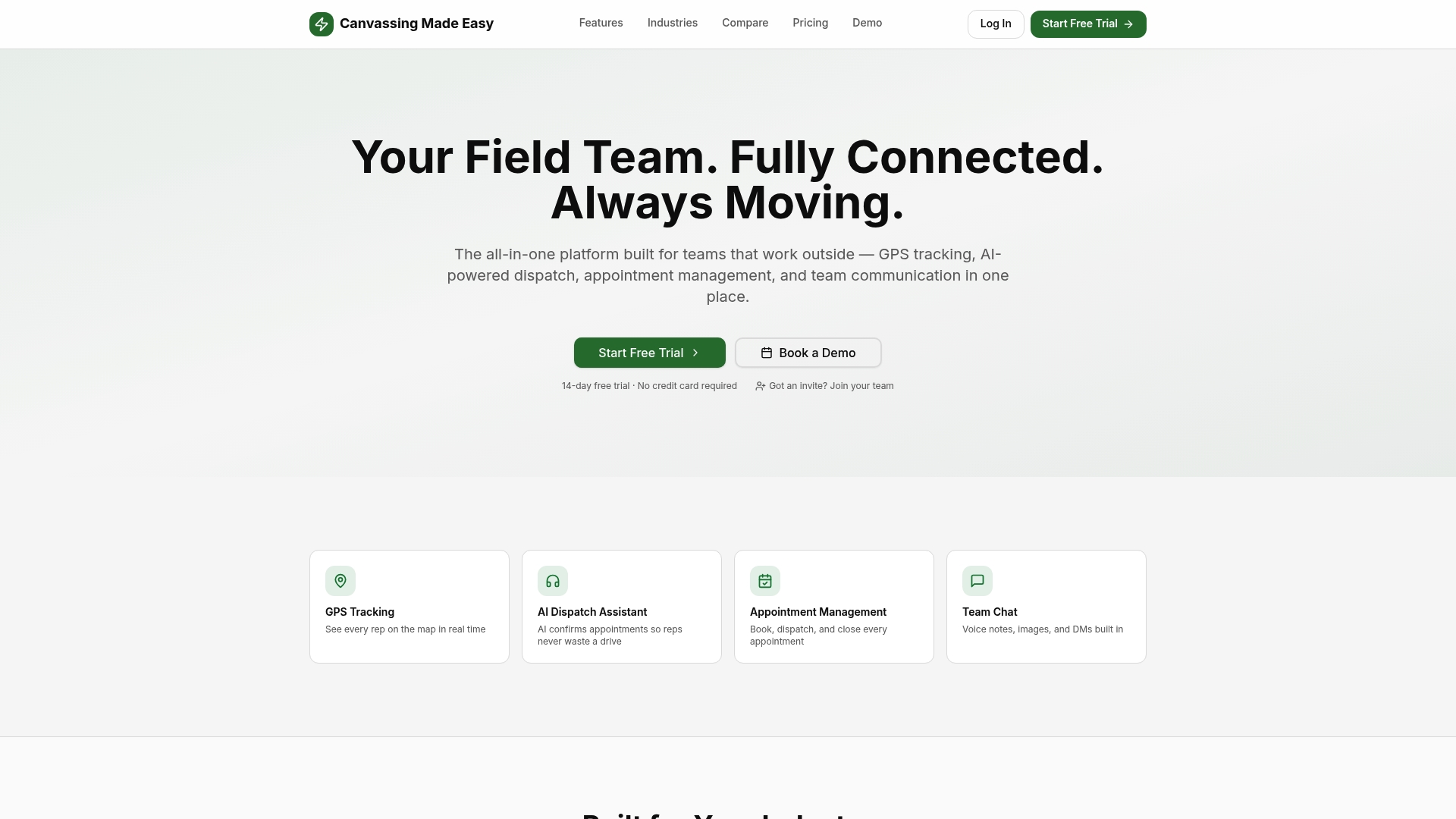
Canvassingme replaces that stack with a single platform. The AI dispatch assistant handles appointment routing automatically. Real-time GPS gives managers accurate rep location without manual check-ins. Territory mapping, lead management, and CRM sync are built in, not bolted on. Teams report a 40% productivity improvement in the first month. The platform supports iOS, Android, and web, and onboarding is designed to be fast.
To see it in action, schedule a demo with your ops lead, two field reps, and your IT or admin contact. Ask the team to show AI dispatch routing a live appointment, test offline capture on your devices, and export a sample report. Then book your demo and run a 14-day pilot in your highest-value territory.
Useful sources and vendor pages to verify features and pricing
Before shortlisting any canvassing app, verify the following on each vendor's site:
- Canvassingme features page (canvassingme.com/features): Confirm GPS tracking, offline mode, CRM integrations, and role-based access. Check trial availability and whether AI dispatch is included in the base plan or as an add-on.
- Canvassingme appointments page (canvassingme.com/appointments): Review appointment management volume and reported business outcomes for EEAT validation.
- Canvassingme AI dispatch page (canvassingme.com/ai-dispatch): Confirm how AI dispatch handles appointment confirmation and rep routing; useful for implementation planning.
- G2 and Capterra: Search each app by name and filter reviews by company size matching yours. Look for patterns in support response time, mobile stability, and CRM sync reliability. Review summaries on independent platforms flag update cadence and overall reliability as key signals.
- App Store and Google Play update history: Check release frequency and note whether updates include real feature additions. Monthly or more frequent updates indicate active development.
- Vendor pricing pages: Confirm whether CRM integration, AI features, and advanced analytics are included in base plans or priced as add-ons. If pricing is quote-only, request a written breakdown by feature tier before a demo.
- ConveYour's canvassing app roundup (conveyour.com/blog): Useful for a third-party feature comparison across multiple platforms; cross-reference claims against each vendor's own documentation.